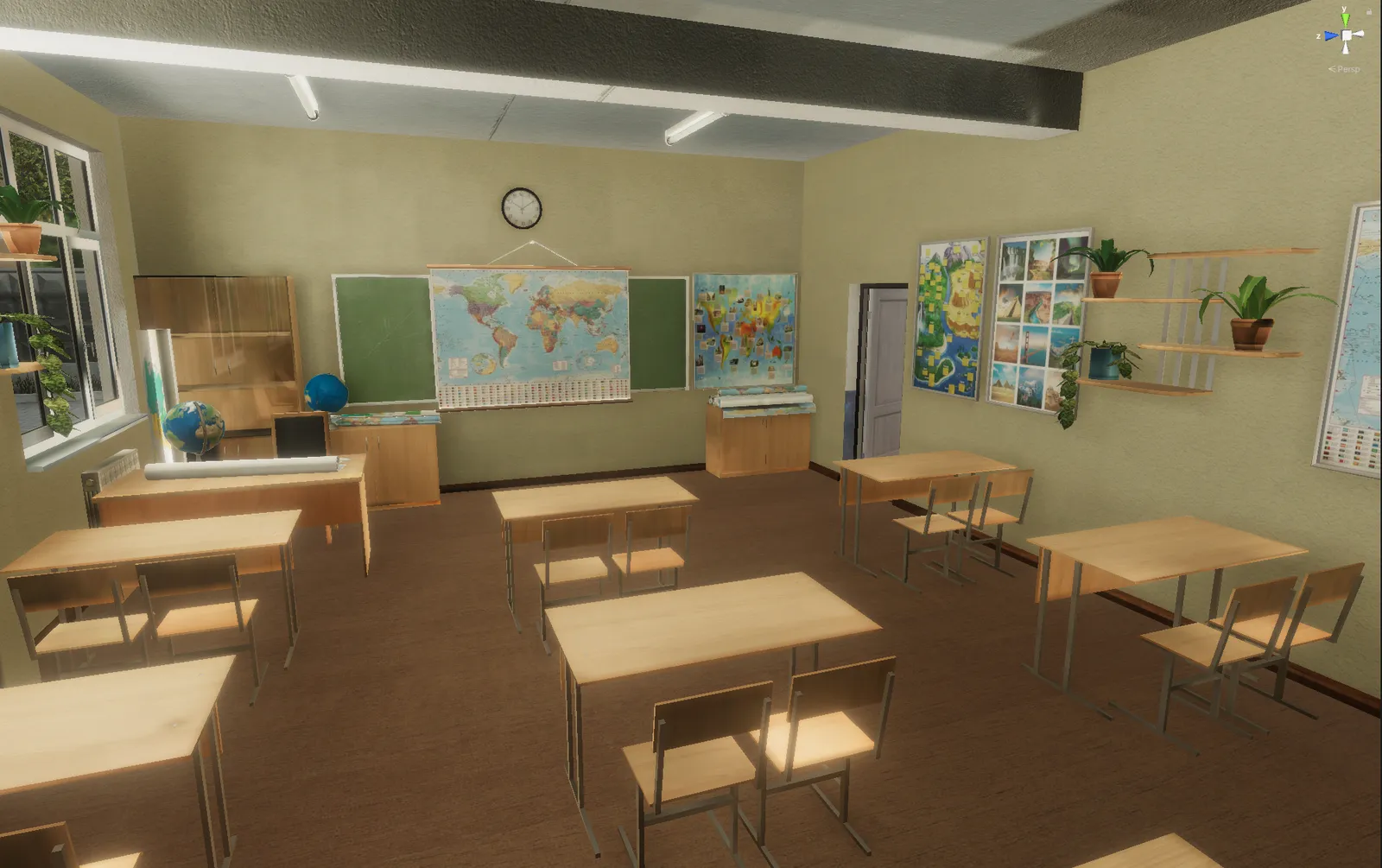
I have stuttered since I was about six years old. The hardest place was never the speech therapist’s room. It was the classroom - the moment a teacher’s eyes landed on me, the register being called, being asked to read aloud, the silence while a whole class waited. I knew what I wanted to say. Saying it, in that environment, with that audience, was a different thing entirely.
That gap - between knowing what you want to say and being able to take part in the moment - is what I built Therapy withVR for. This post is about one specific use of it: a controllable virtual classroom for students who stutter. It is written for school SLPs, and it is as much about how I think about the work as about the tool.
Start from the barrier, not the student
The instinct, when a student stutters, is to work on the student’s speech. I want to gently push back on that, because it is not how I think about this, and it is not what a virtual classroom is for.
Communication barriers sit in environments and structures, not in people. That is the social model of communication that shapes everything I build. A student who stutters is not broken, and there is nothing about how they speak that needs to be corrected. What they have is a set of situations - being called on, reading aloud, presenting, joining a conversation already in flow - that have become loaded, often because of how those situations went before. The work is not to change how the student talks. It is to give them controllable access to those situations, on their own terms, until taking part feels possible.
A virtual classroom is a way to rebuild the hardest environment a student faces, and then hand the controls to the people who should have them: the clinician, and the student. (For more on why a rebuilt scene can feel real enough to matter, see why VR speaking situations feel like the real thing.)
What a controllable virtual classroom actually does
In Therapy withVR, the student is in the headset and you, the SLP, are at a laptop shaping the scene in real time. You decide how many classmates are in the room, how they react, how much time there is, whether anyone interrupts. You can make the room calmer or busier mid-session. You can pause it. The student can take the headset off at any moment, with no consequence.
That control is the whole point. A real classroom gives a student who stutters almost none of it - the situation happens at full speed, in front of everyone, once. A virtual one lets you take the exact moment that is hard and make it small enough to step into, then a little bigger, at a pace the student sets. Nothing is scored, and nothing happens that the student has not agreed to try. If you want a wider set of session structures, there are five ways to use VR speaking situations in your next session that all apply here.
What to measure - and what to leave alone
This matters more than any feature, so I want to be plain about it. This is not about fluency. There is no counting of blocks or repetitions, no accuracy target, no percentage. None of that.
What is worth tracking starts with the student’s own goal. The student decides what they want to be able to do in a situation they have been avoiding - read one paragraph aloud, answer a question, put a hand up - and then rates, in that moment, how confident they feel about achieving that goal. That self-rating, before and after, is the outcome, alongside participation: did they choose to try the thing, on their own terms? A student whose confidence in reaching their own goal climbs across sessions, choosing to attempt a situation they would have sidestepped a month ago, is exactly what success looks like. How they speak while they do it is theirs, and it is not the measure. The free Goal Rating Sheet is built for precisely this: the student’s own goal, and their self-rated confidence in achieving it, in their own words.
If you write IEP and EHCP goals around access and participation rather than production, a controllable virtual classroom maps onto them cleanly, because the setting and the condition are exactly what you can build. The free IEP and EHCP Goal-Writing Template gives you the wording.
A graded ladder you can build
Every student is different, so this is a starting shape, not a protocol. The idea is a ladder the student chooses to climb, one step at a time:
- One calm listener. A single avatar, neutral, low background sound. The student says their name, or one sentence. That is the whole session, if that is where they are.
- A small, friendly group. A few classmates, still calm. The student answers a simple question they have prepared.
- Putting a hand up. The student volunteers something, on their own timing, with the option to pass.
- A short presentation. A minute in front of the class, with the student deciding how big the class is.
- The unexpected. A classmate looks confused, asks for a repeat, or reacts - so the student can practice the social moment of being misunderstood, which for many people who stutter is the part that actually stings, not the stutter itself.
The student moves up only when they want to, and back down whenever they need to. Progress is not a straight line - a student might repeat a step many times, drop back to an easier one, or step away from a goal for a while, and all of that is completely fine. A step repeated ten times until it feels ordinary is a good session.
Where this fits other speaking differences
Stuttering is not the only reason a student goes quiet in class, and the same controllable classroom helps across a range of speaking differences - though they are genuinely different things and deserve different handling. For selective mutism in particular, the approach is more gradual still: start with no avatars at all and build toward a single friendly listener only as consistent verbal output emerges, which mirrors the stimulus-fading logic many clinicians already use. The school-facing details, including the full set of populations this fits and the data-privacy posture your district will ask about, are on the For Schools and Districts page.
Does the evidence support VR for students who stutter?
Here is the honest version, because you deserve it and so do the families you work with. There is nothing about a student’s stutter to treat or undo, and that is not what this is for. What the research supports is VR as a credible, controllable place to practice the speaking situations that anxiety has narrowed - not a treatment that changes how someone speaks.
The work goes back further than people expect. My own first study was published in 2016: Virtual Reality Exposure Therapy to Benefit Those Who Stutter. Since then the literature on VR for stuttering and the broader evidence on VR for speaking and social anxiety has grown, and there is an honest, certainty-rated summary of all of it in the Evidence Hub. The question SLPs ask most - does practice in a headset carry over to the real hallway and the real classroom - is its own topic worth reading: real-world transfer and generalization. For the wider picture on confidence specifically, what twenty years of social-anxiety research means is a good next read.
Every study in the Hub is labeled for whether it used withVR software, rated for certainty, and presented without overclaiming. Several studies in the broader area of speaking and social anxiety reach high certainty; the stuttering-specific research is younger and rated lower, and the Hub says so plainly for each one. That is the level of honesty I want school teams to be able to rely on when they are deciding what to put in front of a child.
Getting started in a school setting
A few practical notes before you try it with a student:
- Screen for suitability and comfort first. A short check - comfort, motion sensitivity, seizure history, headset fit - saves trouble later. There is a free VR suitability screening checklist you are welcome to use.
- Keep early sessions short and seated, and there is more on planning for cybersickness if you are new to VR.
- Stay in the loop the whole time. It is a two-person, supervised tool by design - you shape and can pause every moment, which is exactly the safety a student needs when stepping into something hard.
Common questions
Does VR work for students who stutter? It is a practice environment, not a treatment. The evidence supports VR as a credible, controllable way to practice feared speaking situations; it is not a cure and does not aim to change how a student speaks. See the Evidence Hub for the certainty-rated detail.
Is the goal to reduce or stop stuttering? No. The goal is access, participation, and the student’s own confidence in situations they have been avoiding. Stuttering is part of who a student is, not a flaw to be corrected.
Does it replace traditional speech therapy? No. It is a tool a clinician uses inside their own work, not a replacement for clinical judgment or for the therapy you already do.
What ages is it for? That is your clinical call, made alongside the headset’s own age policy and a suitability screen. The clinician decides what fits each student.
Is Therapy withVR a medical device? No - it is a clinician-controlled practice tool. There is a fuller, honest explanation in Is Therapy withVR a medical device?
The point is taking part, on your own terms
I did not need anyone to make me speak differently. What I needed was a way to walk into the situations I was avoiding before they arrived for real, on terms I controlled, until they felt survivable. Stuttering is part of who a student is, not a flaw to be corrected, and a virtual classroom should never carry the message that the goal is to sound like everyone else. The goal is to take part - to put a hand up, to read the paragraph, to answer the question - as themselves.
That is the bridge I wish I had had, and it is why Therapy withVR exists. If you would like to talk through how it might fit a particular student on your caseload, you can always reach me directly.