Real-world speaking practice - without the real-world unpredictability
Therapy withVR is clinician-controlled VR speech therapy software, written for SLPs by withVR. If you have a caseload that would benefit from practicing real situations in a safe space, this page is for you.
Software pricing
€49 / seat / month
Custom quote
Free practice guide
10 Ways SLPs Are Using VR in Their Clinic Right Now - ten concrete clinical use cases with session structures and evidence, grounded in real caseloads.
Read the guide →What this is (and isn't)
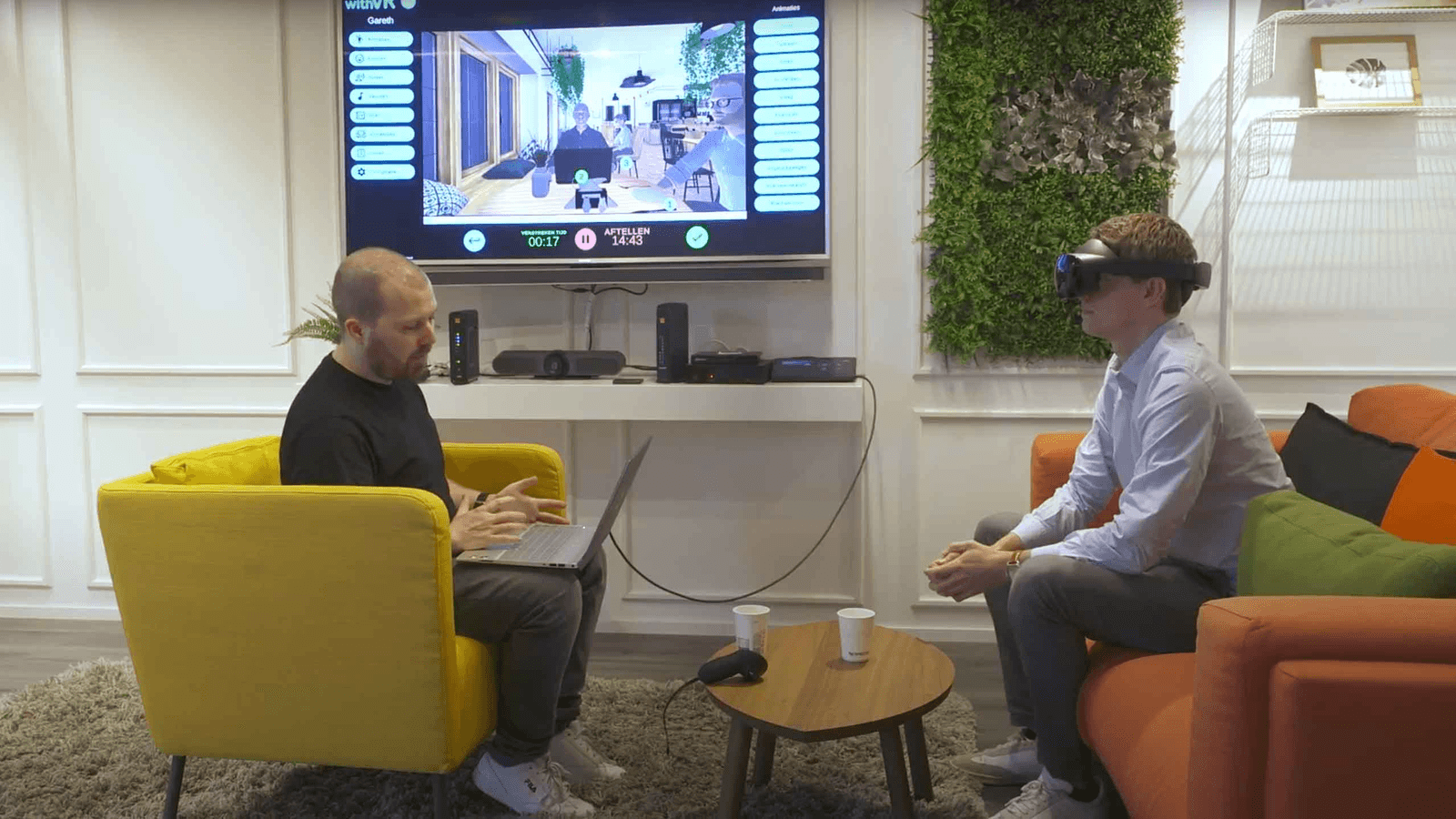
Therapy withVR is a clinician-controlled practice tool. Your client wears a Meta Quest headset. You sit at your laptop and shape what happens in the scene - the environment, the avatars, the emotions, the sounds, the conversation - in real time. It extends what you already do. It does not replace your clinical judgment. It does not diagnose, treat, or score.
- No accuracy targets. Nothing is scored. Progress is what you and the client define.
- No speech policing. The software does not measure speech. You decide what matters.
- No audio or video recorded. Ever. Profile names are encrypted. You control what data exists.
- No "AI replaces you" vibe. Every feature is toggleable. The AI is off by default.
How Therapy withVR differs from other VR speech-therapy tools
A quick comparison of the field
-
Therapy withVR
Clinician-controlled, configurable, population-agnostic. AI features off by default. €49/seat/month. Used in published RCTs. EU-hosted, GDPR/FERPA/HIPAA-aligned by architecture.
-
Consumer public-speaking apps
Consumer-facing public-speaking practice. Self-directed, not clinician-controlled. Better fit for individuals practicing solo than for clinical caseloads.
-
Autism-specific structured-lesson platforms
Autism-specific platform with structured lessons. Strong fit for autism-focused practice; less flexible for stuttering, voice, aphasia, and the wider SLT scope.
-
AI-driven dialogue platforms
AI-driven dialogue practice. Different design philosophy: AI shapes the scene rather than the clinician. Less direct clinician control over difficulty and content.
Why SLPs come back to it
- It bridges clinic to real life. What a client can do with you in the quiet of a session is not always what they can do at the supermarket, the job interview, or the classroom. VR sits in between - realistic enough to feel like it matters, controlled enough that you can adjust in real time.
- Setup takes minutes, not hours. Save a profile for each client, each goal, each scenario. Load it next session in one click. Your planning time goes down.
- One tool, many caseloads. Stuttering. Aphasia. Voice (including gender-affirming voice). Selective mutism. TBI cognitive-communication. Dysarthria. Apraxia. Social anxiety. Hearing differences. See Scenarios by caseload for where to start.
- It stays in your control. You are the one making decisions about what happens next. The client is in a safe practice space, not performing for a machine.
- Evidence-informed. Design principles drawn from 100+ peer-reviewed studies. Used in published RCTs and active research. See the Evidence Hub, or the Nudelman et al. 2026 scoping review in AJSLP - the first peer-reviewed map of the immersive VR / communication-differences literature.
Starting point by caseload
A short, honest starting guide for the populations SLPs most commonly bring to Therapy withVR. Not a prescription - every individual is different.
Start in Café or Bakery. One avatar, Neutral emotion, low ambient sound. Build up to busier scenes and mixed emotions as confidence grows. Full guide →
Single avatar, slow speech rate, quiet ambience, script cards prepared in the Sentences tab. Use the laptop inside VR to display key words or a full script. Scripted scenarios before spontaneous.
Start in the Animal scene - no avatars, just the animal, as first contact. Move to single-avatar scenes only when consistent verbal output has emerged. Short sessions (3-5 minutes) to begin with.
Café or Reception for everyday voice work. One avatar, Neutral emotion first. Graduate to multiple listeners, then introduce Confused or Surprised reactions to practice less predictable outcomes.
Short sessions. Start with structured exchange. Pause frequently. Build complexity across sessions rather than within one. Meeting Room or Café to start.
Working in a school? See For Schools & Districts for IEP, Section 504, and MTSS-RTI workflows, and the US school compliance guide for FERPA, COPPA, and district procurement.
Hear it from other SLPs
"He was able to customize the scene to his comfort level. He stood in front of a full classroom and spoke to the children. Then they started talking about stuttering - which is really amazing, because he never wants to talk about stuttering with anyone. We would never have reached this without VR."
- Tjitske Hofstee-Bootsma, Speech-Language Therapist, De Stotterpraktijk, Netherlands
"We've used it for so many different things - building confidence to stammer without hiding it, ordering food, giving a presentation, coping with teasing. We've also been using it with people with DLD and autistic clients, and in groups too."
- Nicola Maddy, Speech and Language Therapist, South West Yorkshire Partnership Teaching NHS Foundation Trust
What you'll need
- Your everyday laptop. Web app runs in any browser. Nothing to install.
- A Meta Quest headset (recommended: Quest 3S, ~$350 / €350). For the VR side. Sold directly by Meta or your preferred retailer; withVR does not sell hardware. You can also run Therapy withVR without a headset for video calls, introductions, or clients who are not headset-ready.
- WiFi. A standard connection works. Enterprise networks like eduroam are not compatible with Meta Quest - use a personal hotspot or guest network.
- About an hour for onboarding. You get a live training call with a real person - not a self-serve video.
Need to send IT a full system-requirements list (browsers, OS versions, firewall domains, ports)? See the Compatibility page.
On privacy, consent, and CE use
- No audio or video is captured by the software. Profile names are AES-encrypted. EU data hosting (Frankfurt). GDPR compliant.
- For US clinical and school use: the platform is designed so that no PHI and no FERPA-protected student data should ever enter the system. Session data consists only of configuration settings and text labels you choose - never client names, diagnoses, health records, or student identifiers. Use role-based profile labels ("Introductions - Grade 2") rather than names. For school districts, a Student Data Privacy Agreement (including the SDPC National DPA) and a FERPA agreement are available on request - email legal@withvr.app. The Compliance page has the full overview; the Educational Use Policy has the underlying detail.
- Printable informed consent template, VR suitability screening checklist, and plain-language VR handout are free to download and adapt.
- Therapy withVR is not a CE provider. Many of the clinicians who use it count their time toward CE activities run through ASHA-approved providers (journal clubs, case-consultation groups, supervisor-led training). We can support this with evidence summaries and session logs on request.
External resources for SLPs working with people who stutter
Three places I would point a colleague to, beyond what is on this site:
- Stuttering Therapy Resources (STR) - practical assessments, therapy guides, activity books, free practical-tip handouts, and expert training built specifically for SLPs supporting children, teens, and adults who stutter.
- Spero Stuttering - the Ally of Stuttering® program, peer-led intervision groups, a resource library, and community tools that connect SLPs with people who stutter and their families.
- ASHA - the American Speech-Language-Hearing Association. Practice portal, evidence maps, and clinical guidance across the full range of communication and swallowing work, framed around the WHO ICF model of participation and access.
Want to see it for yourself?
A 20-minute video call. Actual software, not a marketing demo. No pressure, no commitment.
hello@withvr.app