Explaining VR to Clients and Families
A short handout clinicians can print and share with the people they work with, and with their families. Written in plain language for adults and older children. For younger children, read it together.
Get this resource
Open in Google Docs to copy and adapt, or download as a PDF.
What is a VR session?
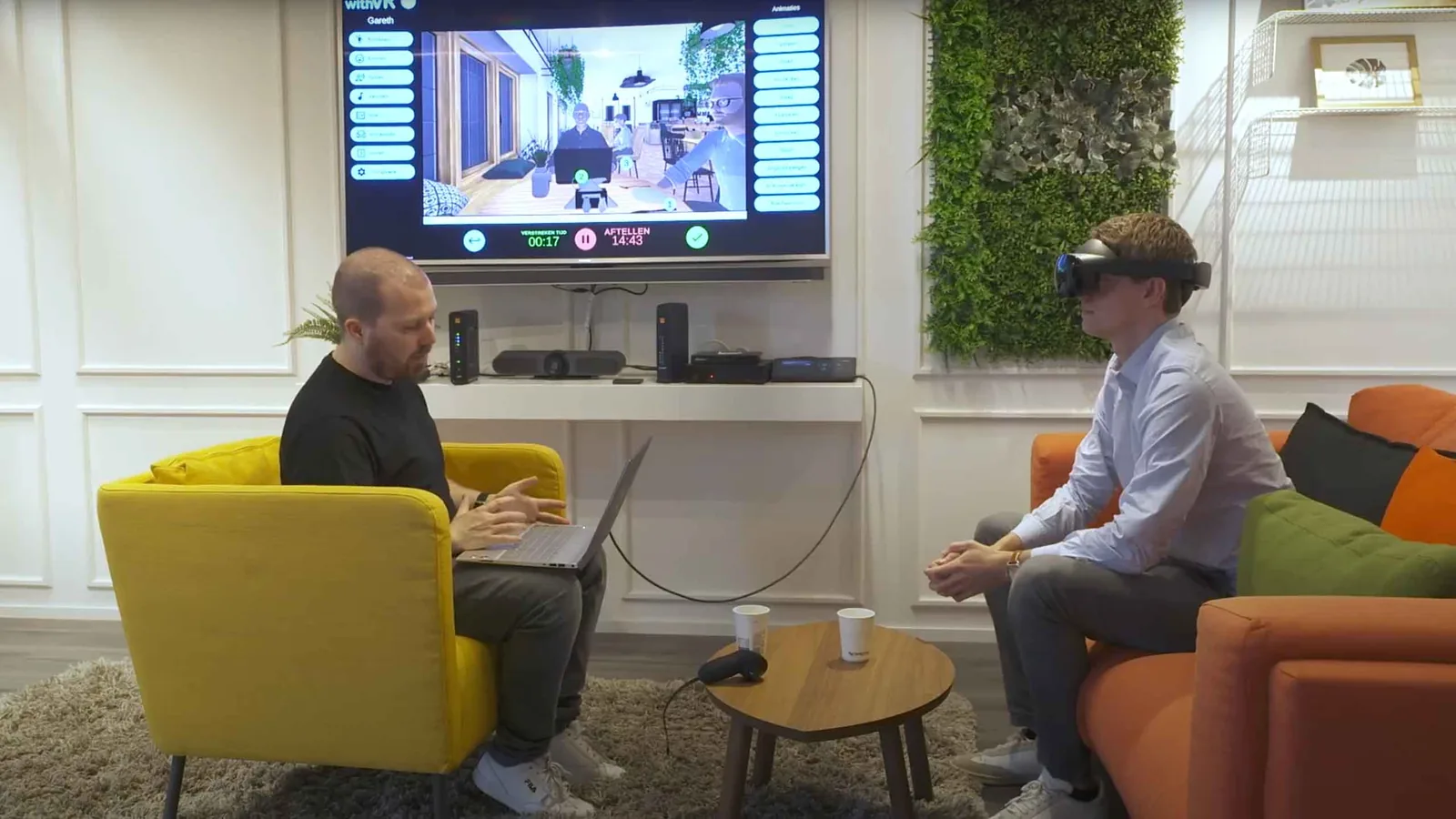
A VR session is when you use a VR headset to practice talking in a situation that feels real but is safe. You still sit in the therapy room with your clinician. The headset lets you see and hear a different place - like a cafe, a classroom, or a meeting.
What will I see and hear?
You will see a scene in 360 degrees. You can look around. You will see avatars - these are characters that look and move like people, but they are not real. They can talk, look at you, and show expressions. The sounds come from all directions, just like in real life.
Who is in control?
Your clinician. They set up the situation on their laptop - who is there, what they look like, what they say, how loud the sounds are. They can stop or pause the scene at any moment. You can also ask them to stop at any time. There is no right or wrong thing to do in a session.
What will I do?
Whatever you and your clinician have agreed together. That might be:
- Ordering a drink in a cafe.
- Introducing yourself to a small group.
- Giving a short talk in a meeting.
- Answering a question from a teacher.
- Or just sitting in the scene, getting used to what it feels like.
What if I don't like it?
You can stop any time. You can say "stop", take the headset off, or tap your clinician's arm - whatever you agreed before you started. You will not be asked to do more than you want to.
What will I feel?
Most people feel curious, a bit nervous, or focused. Some people feel dizzy when they first try VR - this usually passes quickly when you take the headset off. Tell your clinician if you feel unwell or uncomfortable.
Will anyone record what I say?
The VR software does not record your voice or video. Your clinician might take notes, as they would in any session. If your clinician wants to record something specifically, they will ask you first.
Will AI be used in my session?
The VR software has some optional AI features that your clinician can choose to turn on - for example, to help translate what avatars say into another language, or to suggest text for an avatar to speak. These features are off by default. Your clinician will tell you if they would like to use any AI features and you can say no. You can also ask them to turn AI off at any time during your session.
Can I bring someone with me?
Yes, if you want to. A parent, partner, friend, or interpreter can be in the room. Talk to your clinician before your session so they can prepare.
What about my glasses?
Most glasses fit inside the headset. If not, contact lenses or special prescription inserts can be used. Your clinician will help you find the right setup.
Questions to ask your clinician
- What situation will we practice?
- How long will the session be?
- What happens if I want to stop early?
- Will we talk about it afterwards?
- What if I feel uncomfortable?
A note to clinicians using this handout. This page is written at roughly Year 7 / Grade 6 reading level. For younger children, read it together and adapt phrasing. For adults who prefer more technical detail, supplement with the service's own information leaflet and the Informed Consent Template.
Related resources
- Informed Consent Template - For the formal consent step before sessions begin.
- VR Suitability Screening Checklist - Used by the clinician before a first session.
- VR Risk Assessment Template - The service-side risk assessment for clinical VR use.
- Goal Rating Sheet - For tracking how confident a person feels before and after each session.
- Cybersickness in clinical VR: what to plan for - For anyone wondering whether they might feel motion sick.